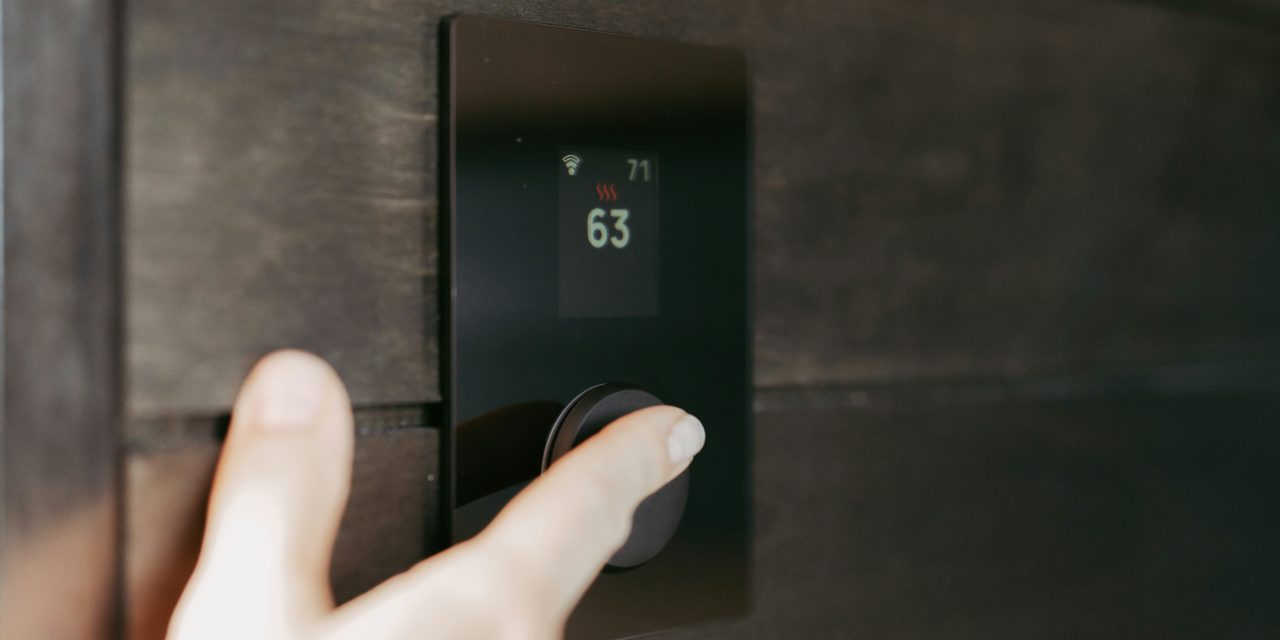
The thermostat serves as the central control unit for your heating, ventilation, and air conditioning (HVAC) system. It is responsible for regulating indoor temperatures by communicating with the HVAC system to maintain a comfortable environment. By sensing the ambient temperature, the thermostat can activate or deactivate heating or cooling systems as needed. This device plays a crucial role in energy efficiency, as it helps to minimize unnecessary energy consumption by ensuring that your HVAC system operates only when required.
Modern thermostats come equipped with various features, including programmable settings, Wi-Fi connectivity, and smart technology integration. These advancements allow users to customize their heating and cooling schedules based on their lifestyle, thereby optimizing energy usage and reducing utility bills. Understanding how your thermostat functions is essential for maintaining a comfortable living space and ensuring the longevity of your HVAC system.
Signs That Indicate Your Thermostat Is Not Working
Identifying a malfunctioning thermostat can be challenging, but several signs can indicate that it is not operating correctly. One of the most apparent symptoms is inconsistent temperature regulation. If you notice that certain rooms are significantly warmer or cooler than others, it may suggest that your thermostat is failing to communicate effectively with your HVAC system. Additionally, if the system runs continuously without reaching the desired temperature, this could indicate a malfunction.
Another sign of a faulty thermostat is an unresponsive display. If the screen remains blank or frozen, it may be time to investigate further. Furthermore, unusual noises coming from the thermostat or HVAC system can also signal underlying issues. These symptoms warrant immediate attention to prevent further complications and ensure optimal performance.
Common Thermostat Problems Explained

Several common issues can affect thermostat functionality. One prevalent problem is incorrect calibration, where the thermostat fails to accurately read the ambient temperature. This can lead to overcooling or overheating, resulting in discomfort and increased energy costs. Calibration issues may arise due to dust accumulation or mechanical wear over time.
Another frequent concern is connectivity problems, particularly with smart thermostats that rely on Wi-Fi for remote access and control. If your smart thermostat frequently disconnects from your home network, it may hinder your ability to adjust settings remotely or receive updates. Additionally, battery-related issues can plague both traditional and smart thermostats, leading to power failures and unresponsive displays.
How to Check Your Thermostat’s Power Supply

To ensure that your thermostat is functioning correctly, it is essential to check its power supply. Begin by inspecting the circuit breaker panel for any tripped breakers that may have cut off power to the thermostat. If you find a tripped breaker, reset it and observe whether the thermostat resumes normal operation.
Next, examine the wiring connections at the thermostat itself. Loose or damaged wires can disrupt power flow and lead to malfunctioning displays or erratic behavior. If you notice any frayed wires or poor connections, it may be necessary to tighten or replace them. Always ensure that the power is turned off before attempting any electrical work to avoid injury.
Troubleshooting Temperature Calibration Issues
If you suspect that your thermostat is not accurately reading temperatures, calibration troubleshooting is essential. Start by comparing the thermostat’s reading with an external thermometer placed in the same room. If there is a significant discrepancy, recalibration may be necessary.
Many modern thermostats have built-in calibration settings that allow users to adjust the temperature reading manually. Consult your user manual for specific instructions on how to access these settings. If manual calibration does not resolve the issue, consider cleaning the thermostat’s sensors and components to eliminate dust buildup that may interfere with accurate readings.
Dealing with Unresponsive or Frozen Displays
An unresponsive or frozen display can be frustrating and may indicate underlying issues with your thermostat. Begin troubleshooting by checking the power supply as previously discussed. If power is confirmed but the display remains inactive, consider performing a soft reset by removing the batteries (if applicable) or turning off the power at the circuit breaker for a few minutes before restoring it.
If these steps do not resolve the issue, inspect the display for any signs of physical damage or moisture intrusion. In some cases, replacing the entire unit may be necessary if repairs are not feasible. Always consult your user manual for specific troubleshooting steps tailored to your model.
Fixing Connectivity Problems with Smart Thermostats
Smart thermostats offer advanced features but can sometimes experience connectivity issues that hinder their performance. Begin by ensuring that your Wi-Fi network is functioning correctly and that other devices can connect without problems. If your smart thermostat is still unable to connect, try rebooting both the thermostat and your router.
Additionally, check for firmware updates for your smart thermostat through its companion app or website. Manufacturers often release updates that enhance performance and fix bugs related to connectivity. If problems persist after these steps, consider relocating your router closer to the thermostat or using a Wi-Fi extender to improve signal strength.
When to Replace Thermostat Batteries
For battery-operated thermostats, monitoring battery life is crucial for uninterrupted operation. Most thermostats will display a low battery warning when power levels are running low; however, it is advisable to replace batteries at least once a year as part of routine maintenance.
When replacing batteries, ensure you use the correct type specified in your user manual. Remove old batteries carefully and dispose of them according to local regulations. After inserting new batteries, check that the thermostat powers on and functions correctly before reassembling any covers or panels.
Resetting Your Thermostat: Step-by-Step Guide
Resetting your thermostat can resolve various issues and restore normal functionality. To perform a reset, begin by locating the reset button on your device; this may vary depending on the model. For many digital thermostats, you may need to access settings through the display menu.
1. Turn off the power supply at the circuit breaker.
2. Remove any batteries if applicable.
3. Wait for approximately five minutes.
4. Reinsert batteries (if applicable) or restore power at the circuit breaker.
5. Press and hold the reset button until you see a confirmation message on the display.
6. Reconfigure any personalized settings as needed.
After completing these steps, monitor your thermostat’s performance for any improvements.
When to Call a Professional HVAC Technician
While many thermostat issues can be resolved through troubleshooting and DIY methods, some situations require professional intervention. If you have attempted multiple troubleshooting steps without success or if you notice signs of electrical damage or malfunctioning components, it is advisable to contact an HVAC technician.
Additionally, if your thermostat is outdated or incompatible with modern HVAC systems, a professional can provide recommendations for suitable replacements that enhance energy efficiency and comfort levels in your home.
Preventative Maintenance Tips to Keep Your Thermostat Working
To ensure optimal performance and longevity of your thermostat, regular preventative maintenance is essential. Start by cleaning dust and debris from around the device regularly; this helps maintain accurate temperature readings and prevents mechanical wear.
Consider scheduling annual HVAC system inspections with a qualified technician who can assess both your heating and cooling systems as well as your thermostat’s functionality. During these inspections, technicians can identify potential issues before they escalate into costly repairs.
Lastly, stay informed about advancements in thermostat technology; upgrading to a smart thermostat can provide enhanced features such as remote access and energy usage tracking, ultimately improving comfort and efficiency in your home.
In summary, understanding how your thermostat operates is vital for maintaining a comfortable indoor environment while optimizing energy efficiency. Recognizing signs of malfunction and addressing common problems promptly can prevent further complications and costly repairs. Regular maintenance and timely professional assistance will ensure that your HVAC system operates smoothly for years to come.
FAQs
What are the common signs that a thermostat is not working?
Common signs that a thermostat is not working include inconsistent temperatures in your home, the heating or cooling system not turning on or off, the display being blank or unresponsive, and unusual noises coming from the thermostat or HVAC system.
How can I troubleshoot a thermostat that is not responding?
To troubleshoot a non-responsive thermostat, first check the batteries if it is battery-operated. If it is hardwired, ensure that the circuit breaker is not tripped. Additionally, clean the thermostat and check for any loose wires or connections. If these steps do not resolve the issue, consider resetting the thermostat or consulting the user manual for specific troubleshooting steps.
What should I do if my thermostat display is blank?
If your thermostat display is blank, start by checking the power supply. For battery-operated models, replace the batteries. For hardwired models, check the circuit breaker and ensure that the power is on. If the display remains blank after these checks, there may be an issue with the thermostat itself, and it may need to be repaired or replaced.
Can a faulty thermostat affect my HVAC system’s performance?
Yes, a faulty thermostat can significantly affect your HVAC system’s performance. If the thermostat is not accurately reading the temperature or sending the correct signals to the system, it can lead to inefficient heating or cooling, increased energy bills, and potential damage to the HVAC system due to overworking.
When should I consider replacing my thermostat?
You should consider replacing your thermostat if it is consistently malfunctioning despite troubleshooting efforts, if it is outdated and lacks modern features like programmable settings or Wi-Fi connectivity, or if it is incompatible with your current HVAC system. Additionally, if you notice significant fluctuations in temperature or if the thermostat is more than 10 years old, it may be time for a replacement.