
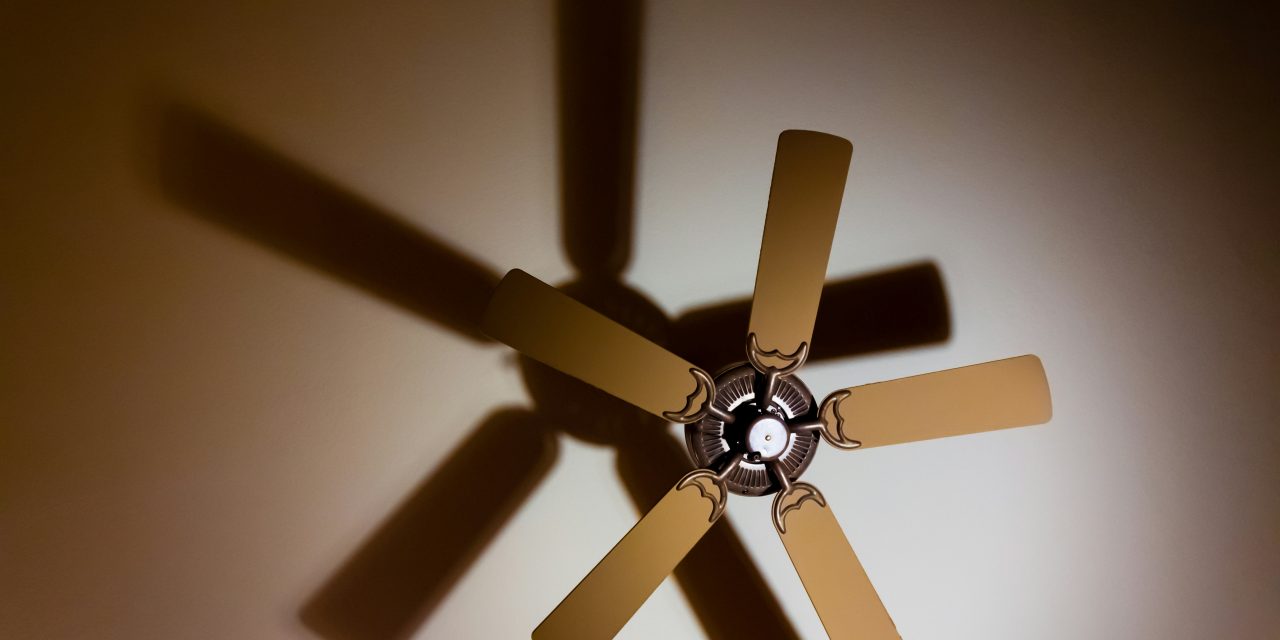
Ceiling fan wobble is a common phenomenon that can lead to discomfort and potential safety hazards in residential and commercial spaces. This oscillation occurs when the fan blades rotate unevenly, causing the entire unit to shake or vibrate. While a slight wobble may seem innocuous, it can escalate into more significant issues if left unaddressed. Understanding the mechanics behind ceiling fan wobble is crucial for homeowners and facility managers alike, as it can affect the fan’s efficiency, lifespan, and overall performance.
The mechanics of a ceiling fan involve a delicate balance of weight distribution and rotational speed. When these factors are disrupted, the fan may wobble, leading to noise and vibration that can be distracting or even damaging. In extreme cases, excessive wobbling can result in the fan detaching from its mounting, posing a serious risk to individuals below. Therefore, recognizing the signs of wobble and addressing them promptly is essential for maintaining a safe and functional environment.
The Importance of a Stable Ceiling Fan
A stable ceiling fan is not merely a matter of aesthetics; it plays a vital role in ensuring comfort and safety within a space. A well-balanced fan operates quietly and efficiently, providing optimal airflow without unnecessary noise or vibration. This stability contributes to energy efficiency, as a properly functioning fan can help regulate indoor temperatures, reducing reliance on heating and cooling systems.
Moreover, a stable ceiling fan enhances the longevity of the unit itself. Excessive wobbling can lead to wear and tear on various components, including the motor and bearings. By maintaining stability, homeowners can extend the lifespan of their ceiling fans, ultimately saving money on repairs or replacements. Additionally, a stable fan minimizes the risk of accidents caused by falling fixtures, ensuring peace of mind for occupants.
Common Causes of Ceiling Fan Wobbling

Several factors can contribute to ceiling fan wobbling, each requiring specific attention to resolve effectively. Understanding these causes is essential for diagnosing the issue accurately and implementing appropriate solutions. Common culprits include loose or unbalanced fan blades, bent or damaged blades, improper installation and mounting issues, accumulation of dust and dirt on blades, and worn-out or faulty bearings.
Identifying the root cause of wobbling is crucial for effective remediation. For instance, loose blades may simply require tightening screws, while bent blades may necessitate replacement. By systematically addressing these issues, homeowners can restore their ceiling fans to optimal performance levels.
Loose or Unbalanced Fan Blades

One of the most prevalent causes of ceiling fan wobble is loose or unbalanced fan blades. Over time, screws that secure the blades to the motor hub may loosen due to vibrations during operation. This can lead to uneven weight distribution among the blades, resulting in noticeable wobbling.
To address this issue, it is essential to inspect each blade for tightness. Using a screwdriver, homeowners can carefully tighten any loose screws without over-tightening, which could cause damage. Additionally, checking for balance is crucial; if one blade is significantly heavier than the others due to design or material differences, it may require adjustment or replacement to achieve equilibrium.
Bent or Damaged Fan Blades
Another significant contributor to ceiling fan wobbling is bent or damaged blades. Blades can become warped due to various factors, including exposure to moisture, physical impact, or manufacturing defects. Even minor bends can disrupt airflow dynamics and lead to pronounced wobbling during operation.
To rectify this issue, homeowners should visually inspect each blade for signs of damage. If a blade appears bent, it may be possible to gently straighten it using heat or manual adjustment; however, this approach carries risks of further damage. In many cases, replacing the affected blade is the most effective solution to restore balance and functionality.
Improper Installation and Mounting Issues
Improper installation and mounting issues can also lead to ceiling fan wobbling. If a fan is not securely mounted to the ceiling joists or if the mounting bracket is misaligned, it can create instability during operation. This instability not only causes wobbling but may also lead to increased wear on the motor and other components.
To ensure proper installation, homeowners should refer to the manufacturer’s guidelines and verify that all mounting hardware is securely fastened. If there are concerns about the integrity of the installation, consulting with a professional electrician may be necessary to assess and rectify any mounting issues.
Accumulation of Dust and Dirt on Blades
The accumulation of dust and dirt on ceiling fan blades can significantly impact their performance and contribute to wobbling. Dust buildup alters the weight distribution across the blades, leading to imbalances that manifest as wobbling during operation. Additionally, dirty blades can impede airflow efficiency, reducing the overall effectiveness of the fan.
Regular cleaning is essential for maintaining optimal performance. Homeowners should use a soft cloth or duster to gently wipe down each blade, ensuring that all surfaces are free from debris. For stubborn grime, a mild detergent solution may be used; however, care should be taken not to saturate the blades excessively.
Worn Out or Faulty Bearings
Worn-out or faulty bearings are another potential cause of ceiling fan wobbling. Bearings facilitate smooth rotation of the motor shaft; when they become worn or damaged, they can lead to increased friction and instability during operation. This can result in noticeable wobbling and noise as the fan struggles to maintain consistent speed.
To address this issue, homeowners should listen for unusual sounds during operation that may indicate bearing problems. If noise is present or if the fan operates unevenly, it may be necessary to replace the bearings or consult with a professional technician for further evaluation.
How to Safely Inspect Your Ceiling Fan
Inspecting a ceiling fan safely requires careful attention to detail and adherence to safety protocols. Before beginning any inspection or maintenance work, it is crucial to turn off power at the circuit breaker to prevent accidental activation during repairs.
Once power is disconnected, homeowners should use a sturdy ladder to access the fan safely. Begin by visually inspecting the blades for signs of damage or dirt accumulation. Next, check all screws and mounting hardware for tightness. If any issues are identified during inspection, appropriate corrective measures should be taken before restoring power.
Step-by-Step Guide to Fixing a Wobbling Fan
1. **Turn Off Power**: Ensure safety by turning off power at the circuit breaker.
2. **Inspect Blades**: Check each blade for tightness and damage.
3. **Tighten Screws**: Use a screwdriver to tighten any loose screws on the blades.
4. **Check Balance**: Use a blade balancing kit if necessary to ensure even weight distribution.
5. **Clean Blades**: Wipe down blades with a soft cloth to remove dust and dirt.
6. **Examine Mounting**: Verify that the fan is securely mounted and aligned properly.
7. **Assess Bearings**: Listen for unusual sounds indicating bearing wear; replace if necessary.
8. **Restore Power**: Once all adjustments are made, restore power at the circuit breaker.
9. **Test Operation**: Turn on the fan and observe for any remaining wobble.
By following these steps systematically, homeowners can effectively address common causes of ceiling fan wobble.
When to Call a Professional for Ceiling Fan Repairs
While many ceiling fan issues can be resolved through DIY efforts, certain situations warrant professional intervention. If extensive wobbling persists despite attempts at correction or if there are concerns about electrical components or wiring integrity, it is advisable to consult with a licensed electrician or HVAC technician.
Additionally, if there are signs of significant wear on internal components such as motors or bearings that require specialized knowledge for repair or replacement, seeking professional assistance ensures that repairs are conducted safely and effectively.
In summary, understanding ceiling fan wobble involves recognizing its causes and implications for safety and efficiency. By addressing issues such as loose blades, bent components, improper installation, dust accumulation, and bearing wear through regular maintenance and inspection practices, homeowners can enhance their ceiling fans’ performance while minimizing risks associated with instability. When in doubt about repairs or persistent issues arise, enlisting professional help ensures optimal functionality and safety in any environment where ceiling fans are utilized.
FAQs
What are the common causes of a wobbling ceiling fan?
A wobbling ceiling fan can be caused by several factors, including unbalanced blades, loose screws, improper installation, or a bent blade. Dust accumulation on the blades can also contribute to imbalance, as can a ceiling fan that is not mounted securely to the ceiling.
How can I determine if my ceiling fan blades are unbalanced?
You can check for unbalanced blades by visually inspecting them for any discrepancies in height or alignment. A simple test involves turning the fan on at a low speed and observing if any blades appear to be wobbling more than others. You can also use a blade balancing kit, which typically includes weights that can be attached to the blades to help achieve balance.
What should I do if the screws on my ceiling fan are loose?
If you suspect that loose screws are causing the wobbling, turn off the fan and use a screwdriver to tighten all screws on the fan blades, mounting bracket, and motor housing. Ensure that you do not overtighten, as this can cause damage. Regular maintenance checks can help prevent this issue from recurring.
Can dust accumulation cause my ceiling fan to wobble?
Yes, dust accumulation can lead to an imbalance in the fan blades, causing wobbling. Regularly cleaning the blades with a damp cloth can help maintain balance and improve the fan’s performance. It is recommended to clean the fan at least once a month to prevent dust buildup.
Is it safe to fix a wobbling ceiling fan myself?
Yes, it is generally safe to fix a wobbling ceiling fan yourself, provided you take necessary precautions. Always turn off the power to the fan at the circuit breaker before attempting any repairs. If you are uncomfortable with DIY repairs or if the problem persists after your attempts, it may be best to consult a professional electrician.